
Add-ons
Add-ons are pre-built recipes that help install and configure libraries in your project. They live in the Add-ons tab within the Integrations panel, and handle the initial setup steps (installing packages, creating configuration files, adding boilerplate) so you can start using a library without deep technical knowledge.
Add-ons are pre-built recipes that help install and configure libraries in your project. They live in the Add-ons tab within the Integrations panel, and handle the initial setup steps (installing packages, creating configuration files, adding boilerplate) so you can start using a library without deep technical knowledge.
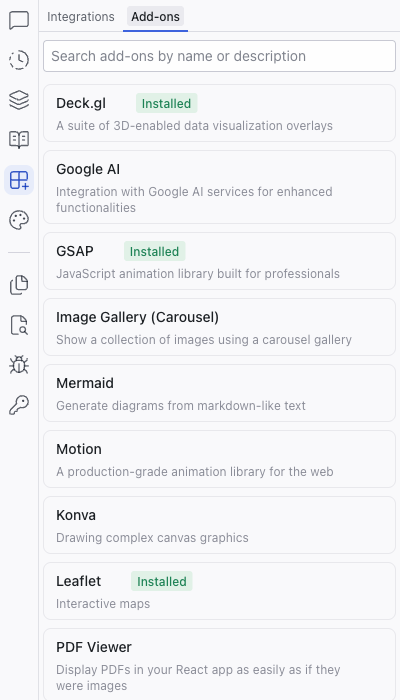
How Add-ons Work
- Click an add-on to see its details, description, and tags
- Click Install to add the package to your project
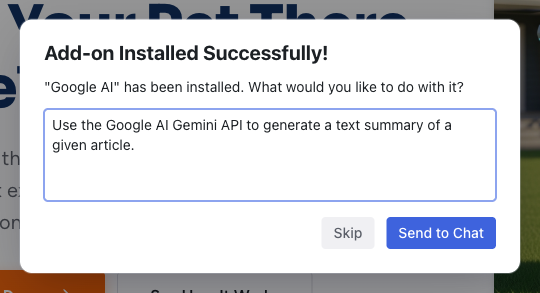
- A success dialog appears asking what you'd like to do with the library, pre-filled with a suggested prompt
- Click Send to Chat to have the AI start using the library in your project, or Skip to install without further action
Installed add-ons show an "Installed" badge in the catalog.
Available Add-ons
| Add-on | Description |
|---|---|
| AG Grid | Feature-rich data grid |
| Deck.gl | 3D-enabled data visualization overlays |
| Google AI | Integration with Google AI services |
| GSAP | JavaScript animation library |
| Image Gallery (Carousel) | Image carousel gallery |
| Leaflet | Interactive maps |
| Lexical | Text editor framework for React |
| Mermaid | Diagrams from markdown-like text |
| Monaco Editor | Code editor for the web, used in VS Code |
| Motion | Production-grade animation library |
| PDF Viewer | Display PDFs in your app |
| ProseMirror | Structured document editor (WYSIWYG) |
| Text Loading Animation | Text loading animation effects |
| Three.js | 3D graphics in the browser |
| XYFlow | Node-based editors and interactive flow charts |
The catalog is updated regularly. Use the search box at the top of the panel to find add-ons by name or description.
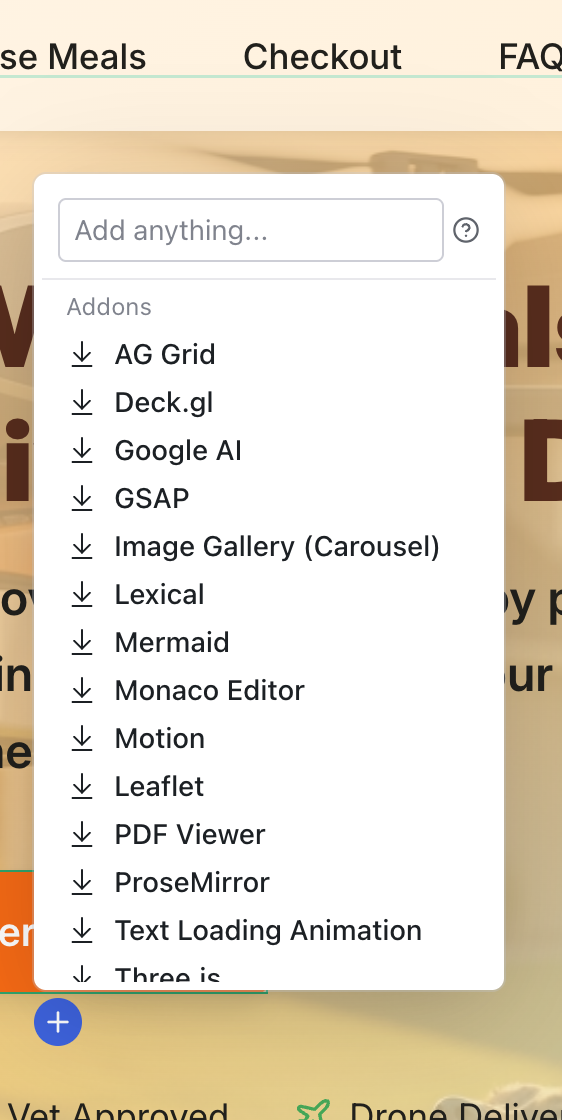
Add-ons also appear in the quick insert element picker when you click an insertion point on the canvas, so you can discover and add them directly where you need them.
Add-ons are different from Integrations. Integrations (Supabase, Figma) are MCP connections that give the AI tools to interact with external services. Add-ons are library recipes that configure packages within your project.
Related Articles
- Integrations – MCP-based service connections
- Chat-Driven Editing – using add-ons through the AI chat
Integrations
The Integrations panel connects your Dazl project to external services. It has two tabs: Integrations for MCP connections to external platforms, and Add-ons for library recipes.
Theme
The Theme panel manages your project's design system: semantic color tokens and typography scales that apply consistently across every component. It has two tabs, Color and Typography.